
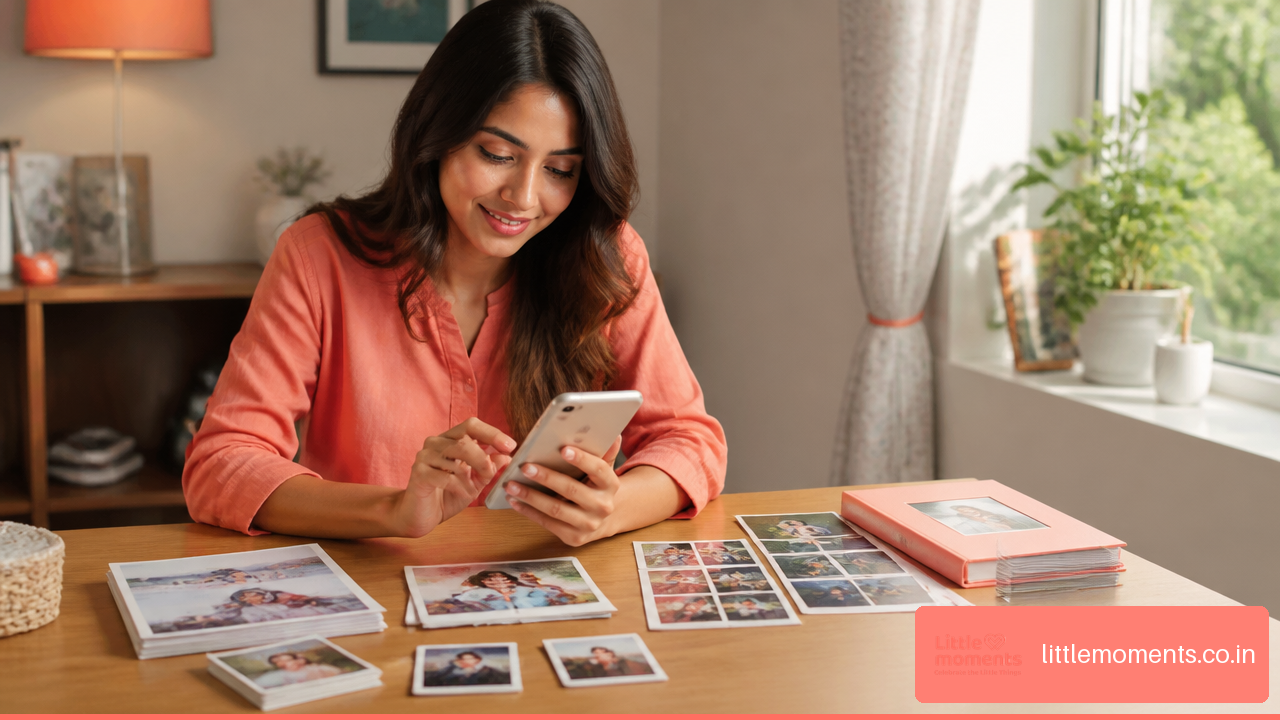
Affordable personalized photo prints from phone photos in India make it easier to bring meaningful moments out of the camera roll and into everyday life. A birthday selfie can become a mini keepsake, a family holiday photo can fill a frame, and a candid picture with a friend can become a thoughtful gift without stretching your budget.
Have you ever thought about how many good photos stay hidden on your phone simply because printing feels expensive or complicated? The practical answer is to choose the right print format, upload the original image file, and compare the total delivered cost instead of only the advertised starting price.
Table Of Contents
• How To Find Affordable Photo Prints
• How To Prepare Phone Photos For Printing
• Choosing The Right Print Style
• Ordering, Delivery, And Problem Prevention
How To Find Affordable Photo Prints
Compare The Total Delivered Cost, Not Just The Starting Price
The best value is not always the lowest price shown on a product page. A promotional price may apply only to a particular pack size, require a minimum quantity, or exclude delivery charges. For affordable printing, I recommend comparing the final basket amount for the same number of usable prints.
For example, imagine you want 24 prints for a scrapbook. One service may advertise a lower price per print but charge shipping. Another may charge slightly more for the pack while including delivery above a threshold. The second basket can be cheaper once you reach checkout.
Use this simple calculation:
Total delivered cost ÷ number of prints you will actually use = cost per usable print
The phrase actually use matters. Ordering 50 prints is not a bargain if you only need 12. Large bundles work well for weddings, birthdays, travel albums, school memories, or family events. For a single framed photo or a small gift, a smaller pack can make more sense.
Cost Factor | What To Check | Why It Matters |
|---|---|---|
Product price | Pack price and quantity | Starting prices may apply only to larger bundles |
Shipping | Standard and prepaid delivery charges | Delivery can change the cheapest option |
Taxes and fees | Checkout total before payment | The displayed item price may not be the final amount |
Minimum quantity | Required number of prints | A low unit rate can require buying more than needed |
Discounts | Coupon terms and payment conditions | Some discounts only apply to selected orders |
Reprint risk | Crop, photo quality, and personalization checks | A failed print is more costly than a careful first order |
As a market example, Little Moments advertises 10 4×6-inch photo prints from ₹239. That is useful as a pack-price reference, but it is still wise to review the live cart for delivery charges and current terms before treating it as your final cost.
When Small Prints Offer The Best Value
Small prints are often the most budget-friendly way to turn smartphone photography into something physical. They use less material, are easier to package, and allow you to print more memories in one order.
Choose mini, wallet, square, or 4×6 formats when you want to:
• Build a scrapbook or journal
• Share photos with friends or family
• Decorate a study desk, mirror, or memory wall
• Add pictures to a gift box
• Test image quality before ordering larger products
For everyday albums and family photo boxes, 4×6 photo prints are a practical middle ground. They are large enough to show faces and background details while remaining affordable for multi-photo orders.
If you want to assemble a complete album directly on your smartphone before printing, Canva’s guide on making photo books from mobile devices offers a simple walkthrough for organizing mobile photo layouts.
Separate Promotional Pricing From Everyday Value
Promotional prices can be helpful, but they should not be treated as permanent market rates. Prices may shift based on paper type, quantity, seasonal offers, product customization, delivery location, and inventory.
Retailer listings also vary widely by product. Mini prints can cost less per piece than framed products, but a framed print includes mounting, protective material, and more careful packaging. A ₹79 product and a ₹499 frame are not direct alternatives. They solve different needs.
The clearest decision is to begin with the occasion:
Need | Best Starting Option | When To Avoid It |
|---|---|---|
Many casual memories | Mini prints or 4×6 prints | Avoid if fine details must be visible |
A gift with a message | Polaroid style print | Avoid if you need a formal display look |
A desk or wall display | Framed print | Avoid if the photo is low quality or heavily cropped |
A wedding or event collection | Bulk prints or album | Avoid rushed ordering without checking dispatch time |
A single large photo | Large print or frame | Avoid using a compressed messaging app image |
How To Prepare Phone Photos For Printing
Start With The Original Camera Roll File
A phone photo can print beautifully, but the version you upload matters. The original camera roll file generally has more image data than a copy that has been forwarded, screenshotted, downloaded from social media, or shared through a messaging app.
This becomes more important as print size increases. A compressed image may look fine on a six-inch phone screen because the display is small and bright. On a 12×18-inch print, softness, blur, noise, and missing detail can become more obvious.
Use the original file whenever possible, especially for:
• Large photo prints
• Framed portraits
• Group photos where faces are small
• Low-light images
• Photos that need significant cropping
If the original is on someone else’s phone, ask them to share it using a method that preserves file quality rather than forwarding a quick chat copy. This is not about perfection. It is about giving the printer the best source image available.
Understand Resolution Without Overcomplicating It
There is no single phone-photo resolution rule that guarantees every print will look identical. Results depend on image dimensions, camera processing, lighting, motion blur, editing, crop amount, paper finish, and viewing distance.
A recent smartphone image taken in daylight will often work well for smaller prints. A large enlargement needs more care. Consider a family photo taken outdoors at sunset: it may look warm and appealing on your phone, but shadows can become noisy when enlarged. In that case, a 4×6 print may look pleasing while a large wall print may reveal limitations.
A useful rule is this: the more you crop, the less image information remains for printing.
If you crop a distant face from a group picture until it fills the frame, you are enlarging only a small part of the original image. The result can appear less sharp even if the original photo was clear.
HEIC, JPG, And Phone Compatibility
iPhones often save photos in HEIC format, while JPG remains widely used across devices and online printing services. Some services accept HEIC directly, which can save an extra conversion step. If an upload page rejects a HEIC photo, export a copy as JPG from your phone or photo app while keeping the original image saved.
Avoid repeatedly converting, editing, downloading, and re-uploading the same picture. Each extra compressed copy can reduce quality. Keep one original file untouched and create a separate copy only when you need edits.
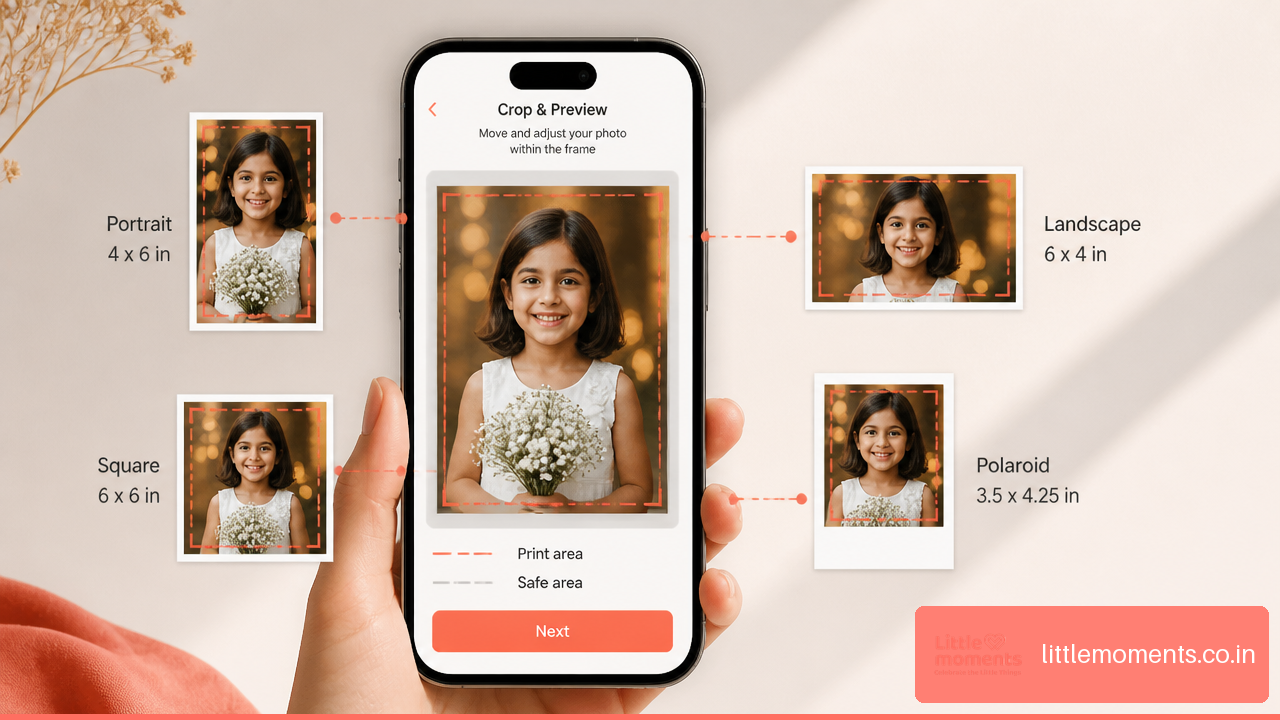
Use A Crop Safety Check Before Paying
Cropping is where many otherwise good photo-print orders go wrong. Phone cameras commonly capture images in vertical or wide screen ratios, while print formats may be square, rectangular, or polaroid style.
Before adding an item to the cart, check these four points:
Faces: Make sure heads, chins, and shoulders are not cut off near the edge.
Text: If the image includes a sign, date, or caption, confirm it remains readable.
Important objects: Keep hands, pets, birthday cakes, flowers, or landmarks inside the safe area.
Border design: Polaroid borders and square formats may crop more of a wide photo than expected.
A practical fix is to choose a format that matches your photo orientation. Use vertical prints for portraits, horizontal prints for landscapes, and square prints for centered images. If the editor offers a fit option with white space, that may be better than losing part of the image.
Choosing The Right Print Style
Match The Format To The Memory
The right print style should fit how the photo will be used. A close-up of two friends can feel natural as a mini polaroid. A family group photo may need a 4×6 or larger format so every face remains visible. A baby’s first-year photos may work best as a collection rather than one oversized print.
The wider photo prints collection can help when you want to compare formats for albums, gifting, decorating, or sharing. The goal is not to choose the fanciest option. It is to choose a format that gives the photo enough space and suits the moment.
Glossy Or Matte: Choose By Where The Print Will Live
Glossy and matte finishes can change how a printed photo feels in use. Glossy prints often make colors appear punchy and can suit vibrant vacation photos, celebrations, and colorful portraits. They can also reflect light and show fingerprints more easily.
Matte prints have less glare and are often easier to handle in albums, journals, and bright rooms. They can be a better fit when people will touch the prints frequently or when the display area gets strong light.
Print Finish | Good For | Watch Out For |
|---|---|---|
Glossy | Bright colors, party photos, vivid travel shots | Glare and visible fingerprints |
Matte | Albums, journals, handling, bright rooms | Colors may appear less shiny |
Framed display | One important image in a permanent spot | Choose a high-quality original and confirm crop |
Polaroid style | Gifts, notes, memory boards, casual decor | Borders reduce usable image area |
Use A Proof Print For Important Large Orders
For a large print, personalized frame, or product with a sentimental photo, a small proof print is a sensible precaution. A proof print is simply a low-cost version used to check whether the crop, brightness, skin tones, and details feel right before you order the bigger item.
This approach is especially helpful when the photo has:
• Dark indoor lighting
• Heavy editing or filters
• A close crop around faces
• A very old digital file
• Important colors, such as wedding outfits or a child’s artwork
There is no universal independent benchmark for how closely every Indian printing service matches phone-screen color. Phone displays are backlit, while paper reflects room light, so some difference is normal. A test order gives you a practical point of reference without assuming that every screen and printer will produce identical colors.
Ordering, Delivery, And Problem Prevention
Dispatch Time Is Not Delivery Time
Dispatch time is the period a seller needs to prepare, print, pack, and hand over an order. Delivery time begins after that handoff. Personalized products can take longer than ready-made products because your selected photos and customization must be processed before shipping.
This distinction matters for birthdays, anniversaries, festivals, and surprise gifts. A product may be dispatched in a few business days but still need additional time to reach your PIN code. Frames and fragile products may also need more protective packaging than loose prints.
Build a time buffer when ordering for a fixed date. If the gift is needed next weekend, do not rely only on the first delivery estimate you see. Check the current product page, enter the destination details when available, and allow room for production and transit.
What To Do If The Print Does Not Match The Preview
If a delivered print has a clear defect, incorrect crop, missing item, or damage, act quickly. Check the seller’s current return, replacement, or support terms and contact support with clear photos of the product and packaging.
Keep these details ready:
Order number
Product name and selected size
Screenshot of the submitted preview, if available
Clear photos showing the concern
A short description of what differs from the order
Fair warning: personalized products can have different return conditions from standard retail items, so do not assume every dissatisfaction qualifies for a refund. A visible production error is different from changing your mind after ordering. The safest approach is to check the preview carefully before payment and document anything that arrives materially different from it.
Key Takeaways
• The cheapest-looking print is not always the most affordable order. Compare product cost, quantity, shipping, taxes, and minimum order requirements before paying.
• Small formats are usually the safest choice for casual phone photos. Large prints need a sharp original image, good lighting, and enough space around important subjects.
• Always use the original camera roll photo when possible. Images saved from WhatsApp or other messaging apps may be compressed and can look soft when enlarged.
• Check the crop preview before ordering. A vertical phone photo and a horizontal print can force the editor to cut off part of the image.
• For a low-cost first order, choose a few small prints or mini formats before committing to a large frame, album, or wall print.
• Mini sized Polaroid photo prints at Little Moments start from just INR 7.49, making them a simple choice for memory boards, gifts, journals, and small surprise packages. Explore custom polaroid photo prints when you want a bordered, playful format from your phone gallery.
A print is only affordable when it works for the photo, the occasion, and the final checkout total. A low item price can lose its advantage if shipping, rushed delivery, or a preventable reprint is added later.
Frequently Asked Questions
What Is The Cheapest Way To Print Phone Photos Online In India?
The cheapest option depends on quantity, shipping, and the format you need. Mini prints and bulk 4×6 packs are often more economical than ordering individual framed products. Compare the final checkout amount, not only the per-print price, and avoid ordering more prints than you will use.
Will A WhatsApp Photo Print Clearly?
It may print acceptably at a small size, but it is usually not the best choice for a large print. Messaging apps may compress images. Use the original camera roll file whenever possible, especially for frames, enlargements, or photos with faces near the edge.
Can I Print iPhone HEIC Photos?
Some online printing services accept HEIC files directly, while others may ask for JPG or PNG. If HEIC is not accepted, export a high-quality JPG copy from your phone and keep the original file saved separately.
What Phone Photo Size Is Suitable For A 4×6 Print?
Many recent phone photos can work well for a 4×6 print if they are in focus, reasonably bright, and not heavily cropped. The photo’s condition matters as much as the pixel count. A blurred night photo may struggle, while a sharp daylight photo can look very good.
Can I Enlarge A Phone Photo To 12×18 Inches?
Sometimes, yes. It depends on the original image quality, lighting, crop amount, and how close people will view the print. For an important large print, order a smaller proof first or choose a less aggressive enlargement if the image looks soft when zoomed in.
How Do I Stop Faces From Being Cropped?
Use the crop preview before checkout. Match portrait photos to vertical formats and landscape photos to horizontal formats. If a square or polaroid format cuts off a face, reposition the image, choose a different format, or use a fit option with space around the photo.
Are Glossy Or Matte Photo Prints Better?
Glossy is often a good fit for vibrant images and colorful celebrations. Matte is often easier to handle and has less glare in albums or bright rooms. Choose based on where the print will be displayed and how often it will be touched.
How Long Do Personalized Prints Take To Arrive?
Timing varies by product, production workload, and destination. Loose prints may move through production differently from frames or albums. Check the current dispatch estimate, then allow extra time for shipping to your location, especially when ordering for a specific celebration date.