
Choosing the right print size is less about picking the biggest option and more about protecting the memory in the photo. To work out how to select the right size for custom photo printing, start with three questions: what shape is the original photo, where will the print go, and does the file have enough pixels for that size? Answer those first and you’ll avoid a print that feels unexpectedly cropped, blurry or too small for its frame.
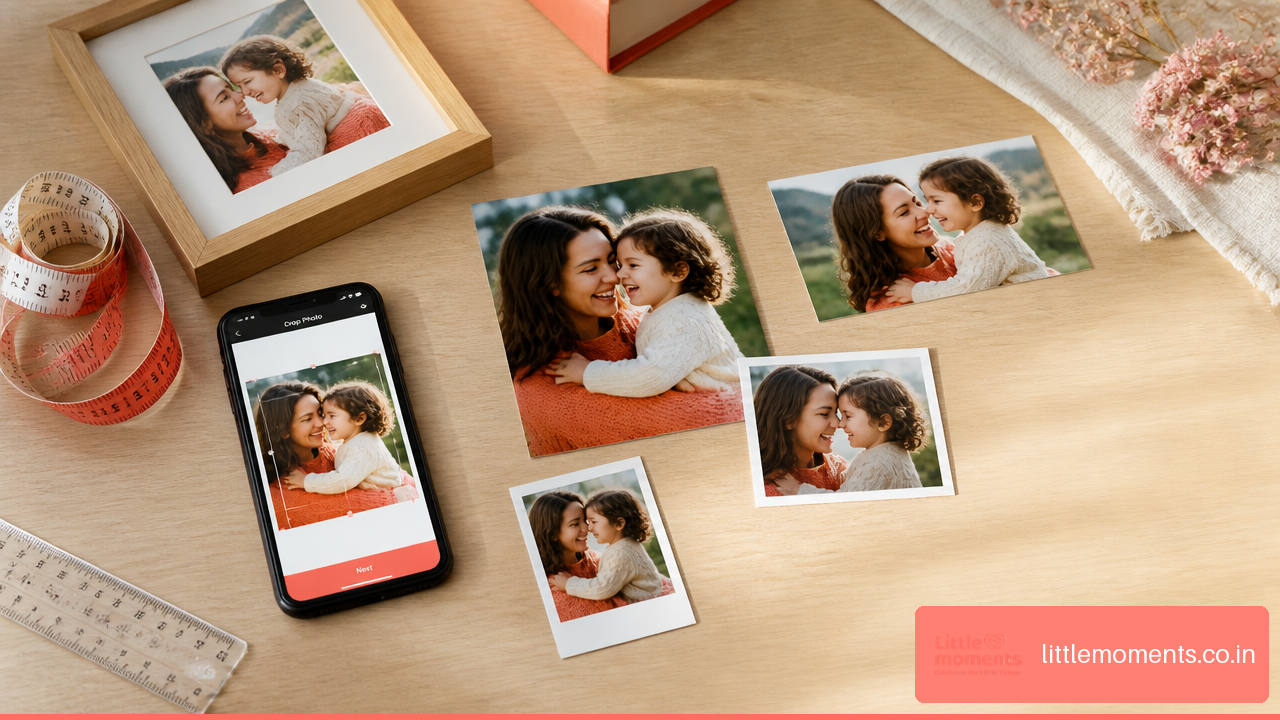
Key Takeaways
- Choose the print shape (ratio) first, then pick a size within that shape.
- Measure the visible opening of a frame, album slot or wall area before ordering.
- Check both pixel count and subject safety. A sharp photo can still disappoint if a face, hand or sign is cropped.
- Use the crop step carefully, especially when details sit close to an edge.
- For large wall prints, viewing distance matters as much as the 300 PPI benchmark.
Table Of Contents
- Choose The Ratio Before The Print Size
- Measure The Space And Plan The Final Output
- Check Pixels, Resolution, And Viewing Distance
- Frequently Asked Questions
Choose The Ratio Before The Print Size
The most reliable way to choose a print size is to find your photo’s aspect ratio before looking at a list of sizes. It sounds like a small change in order, but it prevents the most common disappointment: choosing a familiar size, then finding the print has cut off part of the photo.
Aspect ratio is the relationship between width and height. A photo that’s 3,000 × 4,500 pixels has a 2:3 ratio, so it prints at 4 × 6, 8 × 12 or 12 × 18 inches without changing shape. A 1:1 photo is square and suits a 4 × 4 or 5 × 5 print.
Start With The Shape Of Your Photo
A camera file, a phone screenshot, a social media download and an edited portrait can all have different shapes. Most phone cameras shoot in 3:4 (4:3 when held sideways), not the 2:3 shape of a 4×6 print. Portrait mode, in-app cropping, screenshots and social media exports can change the shape again.
Check the pixel dimensions in your phone’s photo details or editing app before choosing a size. Divide the larger number by the smaller one to get a rough ratio:
| Photo pixel dimensions | Approximate ratio | Print sizes that match well |
|---|---|---|
| 3,000 × 4,000 | 3:4 (most phone photos) | Closest: 5 × 7, Polaroid-style prints |
| 3,000 × 4,500 | 2:3 | 4 × 6, 8 × 12, 12 × 18 |
| 3,200 × 4,000 | 4:5 | 8 × 10, 16 × 20 |
| 3,500 × 4,900 | 5:7 | 5 × 7, 10 × 14 |
| 3,000 × 3,000 | 1:1 | 4 × 4, 5 × 5, 10 × 10 |
Understand What Happens When Ratios Don’t Match
When your photo and the print have different shapes, something has to give. Usually the photo is enlarged until it fills the paper, and the extra is trimmed from one or two edges.
Picture a wide 2:3 beach photo printed at 8 × 10 inches. 8 × 10 is 4:5, a squarer shape, so it needs a tighter crop. If people are standing near the left and right edges, they may be cut off even though the photo is perfectly sharp.
A photo can have enough pixels for a large print and still be the wrong shape for that print.
Resolution and composition are separate checks. Do both.
Do A Crop Safety Check Before Ordering
A crop preview only helps if you look in the right places. Instead of looking at the photo as a whole, scan its edges and corners, which is where problems hide:
- Faces, hair and shoulders near the top or sides
- Hands holding flowers, gifts or a child’s hand
- Text on birthday banners, signs or jerseys
- Feet, shoes, pets’ tails and other details near the bottom
- Important background elements, such as a monument, wedding arch or sunset
- Any part of the photo that already feels tightly framed
If the crop cuts too close, you have three options:
- Choose a print size with a matching shape.
- Crop the photo yourself, so you decide what’s removed.
- Choose a format with a border, such as a Polaroid-style print, which frames the photo instead of filling the paper edge to edge.
For casual keepsakes, matching the photo’s shape is usually easiest. 4×6 photo prints suit photos that already have a 2:3 shape, and phone photos print with only a small trim.
Edge-to-Edge Or Bordered?
How a photo sits on the paper changes the final look, even at the same print size.
| Style | What it does | Best for | Watch out for |
|---|---|---|---|
| Edge-to-edge | Fills the paper to every edge | Vivid wall prints and full-photo displays | Content near the edges may be trimmed |
| White border | Leaves a margin around the photo | Scrapbooks, gifts, a classic look | The photo itself appears smaller |
| Polaroid-style | A white frame with a wider bottom border | Photo walls, journals, memory boxes | The photo area is smaller than the card |
Measure The Space And Plan The Final Output
Once you know the photo’s shape, measure where it will live. A print should fit the visible display area, not just the outside size printed on a frame’s packaging.
Measure Frames, Albums And Walls Correctly
For a frame, measure the opening where the photo is actually visible. The frame’s lip may cover a few millimetres around the print, so a face right at the edge can disappear behind the frame even if the print itself wasn’t cropped.
For a wall, test the footprint with painter’s tape or sheets of paper. It makes a big difference in a narrow hallway, above a desk or over a bed. A 12 × 18 print may look balanced on a wide wall but oversized above a small bedside table.
Before ordering:
- Measure the visible width and height in centimetres or inches.
- Note whether you measured the paper, the frame opening or the wall area.
- Compare that shape with your photo’s shape.
- Decide whether you want edge-to-edge or a visible border.
- Check the crop carefully, not as a last tap before paying.
If a frame or album pocket is a tight fit, confirm the exact finished size of the print before ordering.
Convert Between Inches And Centimetres
In India, frames and home décor are often listed in centimetres, while photo prints are usually sold in inches. The conversion is simple: 1 inch equals 2.54 centimetres.
| Print size | Approximate metric size | Typical use |
|---|---|---|
| 4 × 6 inches | 10.2 × 15.2 cm | Albums, small frames, gifting |
| 5 × 7 inches | 12.7 × 17.8 cm | Tabletop and wall frames, family photos |
| 8 × 10 inches | 20.3 × 25.4 cm | Portraits and medium wall displays |
| 12 × 18 inches | 30.5 × 45.7 cm | Posters and statement wall photos |
Avoid rounding too much. A 10 × 15 cm opening is close to, but not exactly, a 4 × 6 inch print. A frame lip may hide the difference, but it can matter for an album pocket or a snug acrylic display.
Match Size To Purpose, Not Just Price
The right size should suit the moment. A small print can mean more than a large one if it’s going in a wallet, an album, a card or on a desk. Large prints work best when the photo has a clear subject and some breathing room.
| Purpose | Sensible starting point | When to size up | When to avoid it |
|---|---|---|---|
| Album or memory box | 4 × 6 or Polaroid-style | You want a feature page | The album pockets are smaller than the print |
| Desk or bedside frame | 3 × 3, 4 × 4 or 5 × 7 | The frame sits on a large desk or shelf | The photo has tiny faces that need close viewing |
| Gallery wall | Several frames in matching shapes | You have space and a planned layout | Frames are mixed without a plan |
| Gift or keepsake | Polaroid-style prints | You want several photos in one gift | One photo needs wall-level impact |
| Large wall photo | 12 × 18 or larger | The wall has open space and viewing distance | The photo is heavily cropped or low detail |
For a relaxed, instant-photo feel, Polaroid photo prints are a great choice, because the white border becomes part of the look rather than wasted space. For a desk or wall, personalised photo frames arrive with your photo already printed and fitted.
Plan Multi-Photo Displays Early
A gallery wall is easier when all the prints share one shape, even if the sizes vary. A 2:3 gallery, for example, can combine 4 × 6, 8 × 12 and 12 × 18 prints that keep their shape while the scale changes.
Mixed shapes can look intentional too, if something ties them together, such as the same frame colour, border style or spacing. For a gift set, custom Polaroid photo prints make very different photos feel consistent through a shared style.
Check Pixels, Resolution, And Viewing Distance
Print resolution is how much detail your photo has at the final size. PPI means pixels per inch at the chosen print size. DPI means dots per inch and strictly refers to the printer, though the two terms are often used interchangeably.
Work Out The Pixels You Need
A common target is 300 PPI. Multiply the print’s width and height in inches by 300 to get the pixel size to aim for:
| Print size | Pixel target at 300 PPI | What it means |
|---|---|---|
| 4 × 6 inches | 1,200 × 1,800 pixels | Easy for any original phone photo |
| 5 × 7 inches | 1,500 × 2,100 pixels | Fine for everyday frames and gifts |
| 8 × 10 inches | 2,400 × 3,000 pixels | Needs a reasonably detailed original |
| 12 × 18 inches | 3,600 × 5,400 pixels | Use the original file, not a shared copy |
| 16 × 20 inches | 4,800 × 6,000 pixels | Check closely before enlarging |
Don’t treat 300 PPI as pass or fail. It’s a good target for prints viewed up close, but it can’t fix poor focus, heavy compression, motion blur or over-editing. Enlarging a photo creates more pixels, but it can’t restore detail that was never captured.
Let Viewing Distance Guide Large Prints
A large wall print is usually viewed from further away than a small desk photo. That’s why a photo slightly below 300 PPI can still look good on a wall, while the same file might look soft as a 5 × 7 seen up close. As a rough guide, around 200 PPI looks fine at normal viewing distance, and softness becomes noticeable below about 150 PPI.
It also depends on the photo. A wide landscape with broad areas of colour enlarges more easily than a tight group portrait where people will look closely at faces. A large print of a screenshot or a photo forwarded several times on chat apps will look weak even from a few steps away.
Use The Original File Whenever Possible
For the cleanest print, upload the original camera photo rather than:
- A screenshot of the photo
- A social media download
- A photo saved repeatedly through chat apps
- A collage export with very small individual photos
- A heavily filtered or over-sharpened edit
If you’re cropping a photo to a custom shape, decide on the crop first, then resize. Resizing before you choose the shape often means doing the work twice.
Do A Final Pre-Order Review
Before you place the order, run through this checklist:
- Shape: Does the photo’s shape match the print’s shape?
- Crop: Are faces, hands, text and edge details safely inside?
- Pixels: Does the original have enough detail for the size?
- Space: Does the print fit the frame opening, album pocket or wall?
- Style: Edge-to-edge, or would a border suit the photo better?
- Details: Are the size, units and crop confirmed before you pay?
When ordering from Little Moments, you upload your photos on the product page and adjust the crop for each one right after uploading. Treat the crop step as part of the design, not a formality.
Related reads
- Best photo print dimensions for albums and keepsakes
- How to print custom Polaroid photos online in India
- Personalised photo frames for your home
Frequently Asked Questions
What photo print size should I choose for a custom print?
Choose the size that matches your photo’s shape, fits where it will be displayed and has enough pixels. For a 2:3 photo, 4 × 6 or 12 × 18 is safer than 8 × 10 because it avoids extra cropping.
How do I choose a print size that fits my frame exactly?
Measure the visible opening of the frame, not just its outside dimensions, then compare it with the print size. If the frame overlaps the print’s edges, leave safe space around faces and important details.
How do I know whether my photo will be cropped?
Compare your photo’s shape with the print’s shape, then check the crop preview. If the shapes differ, some content will usually be trimmed. Move the crop, choose another size or choose a bordered format.
How many pixels do I need for an 8 × 10 print?
About 2,400 × 3,000 pixels gives 300 PPI at 8 × 10 inches. A slightly smaller file can still work depending on sharpness, detail and how far away the print will be viewed.
Is 300 DPI required for every photo print?
Not necessarily. Around 300 PPI is a helpful target for prints viewed up close, but a large print viewed from further away can look good at a lower resolution.
Should I crop the photo myself or let the website crop it?
Crop it yourself when the composition matters or people are close to the edges. Rely on an automatic crop only when the preview clearly keeps every important detail. Cropping yourself gives you full control.
What should I do if my photo’s shape doesn’t match the print size?
Choose a print with a matching shape, crop the photo deliberately, or pick a bordered format like Polaroid-style prints. The best option depends on whether keeping the whole photo or filling the paper matters more.
What size works best for a wall photo or gallery arrangement?
For a single wall print, start with the wall’s width and how far away people will stand. For a gallery, use one shared shape or consistent frames to create order, and test the layout with paper templates before ordering.
Pingback: Best Photo Print Dimensions for Albums & Keepsakes
Pingback: Best Online Photo Printing Service for Personal Memories in India