
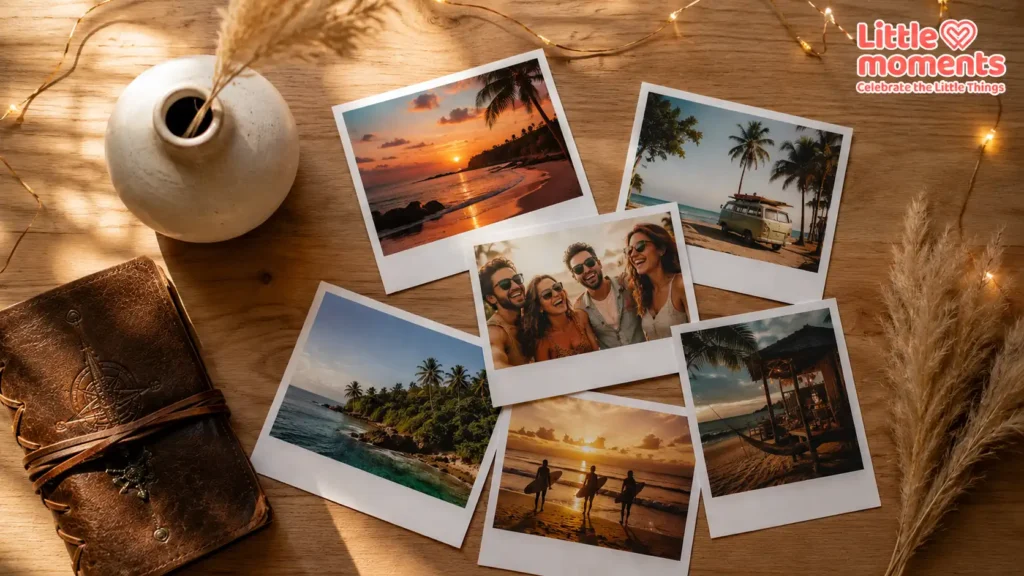
Thousands of photos sit forgotten in our phones and cloud storage, and a quiet counter-movement has taken root. Digital convenience is no longer enough; we want objects we can hold, touch and display. Turning pixels into keepsakes has become a meaningful way to preserve our personal histories.
Among all print styles, none carries the emotional weight of the classic instant-film look. If you want to rescue your favourite memories from your camera roll, learning how to print Polaroid photos online in India gives you that timeless feel without buying an instant camera or expensive film.
Why the Retro Photo Print Trend Is Booming in India
The resurgence of retro photo prints across India is driven by nostalgia and a wish to curate. A smartphone captures thousands of burst shots; a physical print asks you to slow down, choose and celebrate one frame.
On Instagram and Pinterest, Gen Z and millennial creators have embraced vintage film aesthetics: warm colours, soft light and gentle shadows that feel more authentic than heavily filtered phone images.
Polaroid-style prints bring that look off the screen. Whether it’s a candid laugh on a road trip to Goa or a sunset from your balcony, the iconic white border adds intention and warmth that edge-to-edge prints can’t quite match.
How to Print Polaroid Photos Online in India: A Step-by-Step Guide
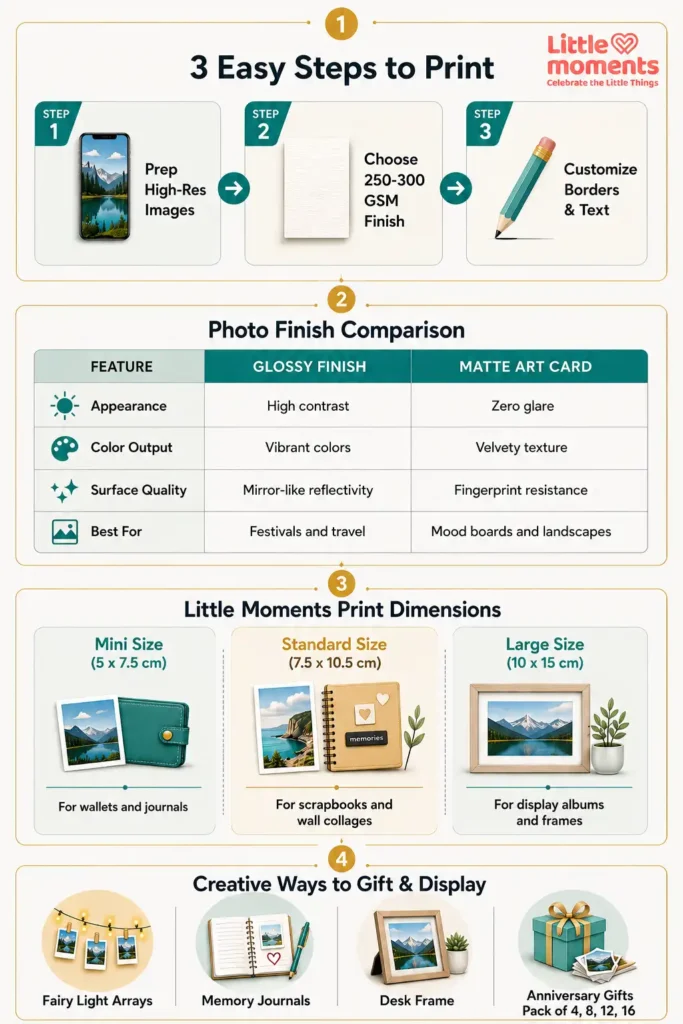
Online photo printing doesn’t have to be technical. Follow these steps and your phone gallery becomes a set of physical prints delivered to your door.
Step 1: Pick the Right Photos and Files
The quality of your print depends on the file you upload. Always use the original from your phone’s camera roll, not a compressed copy downloaded from WhatsApp or social media. Then check each photo:
- Mind the crop: Polaroid-style prints have a photo area close to 4:5, slightly squarer than a typical phone photo. Keep your subject away from the edges so nothing important is trimmed.
- Check clarity: Avoid dark, pixelated or blurry shots unless the blur is an intentional artistic choice.
- Watch the brightness: Heavily underexposed night shots can look muddy on paper. Brighten them gently before uploading.
For a deeper look at print shapes, read our guide to the best photo print dimensions for albums and keepsakes.
Step 2: Choose Your Size
Polaroid-style prints usually come in three sizes. At Little Moments, these are:
| Size | Card size | Photo area | Best for |
|---|---|---|---|
| Mini | 5 × 7.5 cm | 4.4 × 5.5 cm | Wallets, journals, scrapbooks, gift notes |
| Standard | 7.5 × 10.5 cm | 6.2 × 7.6 cm | The classic look; photo walls and gifting |
| Large | 10.5 × 15 cm | 8.6 × 10.8 cm | Frames, display albums, feature walls |
Step 3: Choose Your Finish
The finish changes how a print looks and feels.
| Feature | Glossy finish | Matte finish |
|---|---|---|
| Look | High contrast, vibrant colours, deep blacks | Soft, low glare under direct light |
| Feel | Smooth and polished | Velvety, shows fewer fingerprints |
| Best for | Travel photos, festivals, vivid family milestones | Mood boards, monochrome shots, artistic landscapes |
Glossy is the most popular choice for Polaroid-style prints because colours pop against the white border. Little Moments prints on glossy photo paper.
Step 4: Upload, Crop and Order
Upload your photos on the product page, then use the crop tool to position each one inside the border. Check every photo, not just the first: faces should sit comfortably inside the frame. Then add to cart and check out.
Choosing the Best Website for Polaroid Photo Printing in India
Not every printing service is equal. When choosing where to order, look beyond price:
- Easy phone uploads with a crop step, so you can see how each photo sits inside the border before paying.
- Clear size information, including the photo area, not just the card size.
- Pack sizes that suit you, since larger packs usually bring the price per print down.
- Careful packaging, because prints can bend at the corners in transit.
- Clear delivery times for your city, especially if the prints are a gift.
Why Little Moments Is a Great Choice for Custom Polaroid Prints
Little Moments makes Polaroid photo prints simple to order from your phone. Choose your size and pack, upload your photos on the product page, crop each one and check out. If you’d rather not upload, you can place the order and send your photos on WhatsApp to 8722993069 with your order ID.
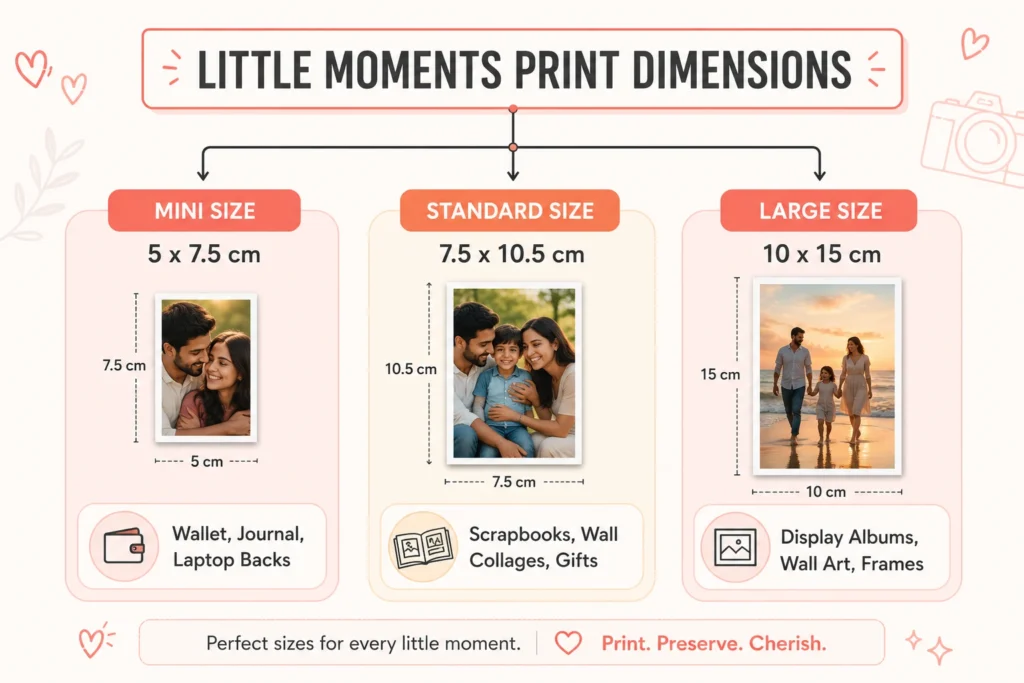
Prints come in mini, standard and large sizes, on glossy photo paper with the classic white border. Packs start at 8 prints for standard and large sizes and 16 for mini, going up to 96 prints. Mini Polaroid Photo Prints are perfect for a compact travel diary, standard prints suit scrapbooks and photo walls, and large prints make a statement on a gallery wall.
For hassle-free crafting, there are also Adhesive Polaroid Photos, printed on 135 GSM peel-and-stick paper, so you don’t need glue or tape. The adhesive is permanent, so decide on placement before you stick.
Shipping is free on orders of ₹599 and above. Orders are processed in 2–3 working days, then delivered in about 2 working days within Bengaluru, 4–5 days across South India and 5–7 days in North India on regular shipping.
Creative Ways to Use and Gift Your Polaroid Prints
Once your prints arrive, the possibilities go far beyond a traditional album:
- Fairy-light walls and collages: Clip a row of prints onto warm white fairy lights with mini pegs, or use LED photo string lights with clips, for a cosy accent wall in a bedroom or workspace.
- A memory journal: Paste prints into a blank notebook and write the date and place beside each one, tracking a relationship timeline or a trip day by day.
- Personalised tech: Slip a mini print inside a clear phone case, or stick an adhesive print on your laptop lid.
- A Polaroid album: A Polaroid Photo Album keeps a whole set together and easy to flip through.
- An anniversary gift: A curated box of 8, 16 or 24 key moments from your relationship is more personal than almost anything off a shelf. Explore our Ultimate Anniversary Gift Guide for more ideas.
Conclusion
Moving your favourite photos off the screen and onto paper gives your most important moments a permanent home. Choose sharp originals, pick the right size, check every crop, and you’ll have prints you’ll keep for years.
Ready to stop leaving your memories locked in your phone? Head over to Little Moments, choose your size and start building your own collection of Polaroid prints today.
Related reads
- Best couple poses for Polaroid prints
- 7 romantic Polaroid photo gift ideas for your girlfriend
- Photo print trends for 2026 and 2027
Frequently Asked Questions
What sizes are Polaroid-style prints?
At Little Moments, mini prints are 5 × 7.5 cm, small enough for a wallet or diary. Standard prints are 7.5 × 10.5 cm, the classic instant-print look. Large prints are 10.5 × 15 cm, ideal for frames and feature walls.
Can I print pictures taken directly on my phone?
Yes. Modern phone cameras produce more than enough detail for Polaroid-style prints. As long as you upload the original photo, not a copy compressed by a messaging app, your prints will look sharp and clear.
How can I make my regular photos look more retro?
Before uploading, edit gently in an app like VSCO or Lightroom Mobile. Slightly lifting the shadows, softening harsh contrast, adding a little warmth and a touch of grain gives a nostalgic film feel. Keep edits subtle, since heavy filters look harsher on paper than on a screen.
Will the colours on my prints fade over time?
Prints last for years when cared for properly. Keep them out of direct sunlight and store them somewhere cool and dry, ideally in an album or photo sleeve.
Can I order different photos in one pack?
Yes. Every print in a pack can be a different photo. Upload one photo per print on the product page and crop each one individually.
Pingback: Bride Squad Badges for Indian Weddings: Ideas & Sizes
Pingback: Photo Print Trends 2026–27: 12 Ideas for Printed Photos
Pingback: Best Photo Print Dimensions for Albums & Keepsakes
Pingback: Best Online Photo Printing Service for Personal Memories in India
Pingback: Couple Photoshoot Poses India: 12 Poses That Print Well
Pingback: Couple Photography in India: Best Poses & Camera Angles
Pingback: 7 Romantic Polaroid Photo Gift Ideas for Your Girlfriend (2026)
Pingback: The Ultimate Anniversary Gift Guide | Anniversary Gifts India 2026
Pingback: 5 Cool Gift Ideas Using Photo Prints & Fridge Magnets
Pingback: How to Select the Right Size for Custom Photo Printing
Pingback: How to Display Photo Prints at Home – 10 Creative Ways
Pingback: How to Reprint Old Photos: Scan With Your Phone & Print